Home > javascript > My harmonious background canvas

My harmonious background canvas

So I happened upon squaredesign site and was impressed by their trippy background squares that responded to mouse movement (tutorial here).
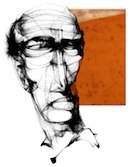
Illustration done with Harmony
I got jealous and wanted my own interactive background. Plus @miketaylr's is mad sweet. Turns out, I'm lazy. Never fear. Mr Doob recently put out the magical canvas procedural illustration application Harmony and generously licensed it MIT.

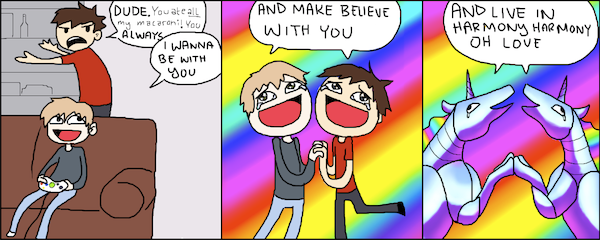
I adapted the code for use as a background, but felt like it still missed something. It needed an easter egg. Oh yes. Taking inspiration from the Harmony Harmony meme (example), I decided an Erasure music video was in order.
Leveraging code from the $1 Unistroke Recognizer (which is righteous), it takes snapshots between drawing pauses and looks to see if you drew a star. If it thinks you did.. then:
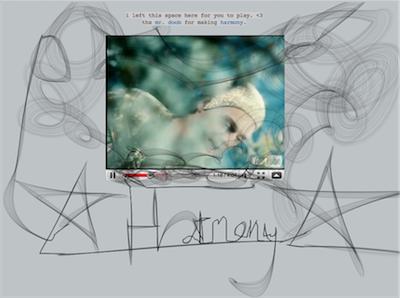
The code for the bg integration is on github: /paulirish/harmony
The code for doob's harmony app is on github, too: /mrdoob/harmony

Take it for a spin if you like. Experiment with some of the other brushes. Thanks again to powerhouse Mr Doob for sharing such beautiful work.

(I'll probably be removing the drawing canvas in a week or so. It's a bit of a resource hog!)

Paul Irish javascript

  1. #1

    If you're looking to get the easter egg, pause before and after, and draw the star pretty quick. The detection isn't that perfect. :)

  2. #2

    That's so damn awesome…love it!

  3. #3

    fun easter egg!

  4. #4

    It also looks like you have to draw the star the same way you did ( from the bottom left corner. I learned to draw the star from the top that it doesn't seem to work that way.

  5. #5

    @Daniel Petrie
    oops, I lie.. Apparently my start wasn't good enough the first few times I drew it my way lol

  6. #6

    i am quite honored and humbled. :)

  7. #7

    LOVE the interactive background effect. Super cool!

  8. #8

    I really need to stop coming to your site, Paul. It's a real productivity killer for me. Damn you!!

  9. #9

    wow - spending 15 minutes on your site now - just to "paint" around.. :D

    great!

  10. #10

    what a journey. i didn't miss a stop. some flickering mischief, harold's huge purple crayon, smoking mr. doob and then having my hopes and dreams dashed upon the rocks endlessly in harmony, harmony with "persistence is futile" (no it's a laugh riot) only to arrive on the set of "Prancing Tiger, Closeted Dragon". What do you suppose the snowball was a metaphor for? Some things are better left to urban dictionary….

    Thanks Paul for the memorable and timely writeup. You rock, DUDE!!!
    bliss and blessings to you and yours.

  11. #11

    ps. Paul, I love my "In Utero" icon. How did you know Kurt was my cousin? Happy afterbirth!

  12. #12

    i'm sorry, that was "Prancing Tiger, Hidden Drag Queen"

  13. #13

    :D

  14. zc
    #14

    oh,it's so cool,love it

  15. kusum
    #15

    this rocks paul. hi!

  16. #16

    So I have to say it's more than a little frightening to find this easteregg accidentally before finding the explanation. "AAAH WHERE IS THE ERASURE COMING FROM AAAA" etc.

    That said, up to the point where I was afraid I wasn't going to be able to read your work without having erasure leap out at me, I quite enjoyed the drawing interface.

  17. Jeff
    #17

    I love this, but unfortunately all kinds of errors are kicked off when using IE8. Is there a fix for IE?

  18. #18

    @Jeff
    It should quit early in IE8. The script is not compatible. I'll have to look into the errors.

  19. #19

    Shoud've used entire Mr. Doob's demo - it's a bit smoother.

  20. #20

    Awesome! So awesome, that I adapted it for cornify.com for drawing rainbows on the background. Next update will also include sparkles.

    I added a detection to the script whether canvas is supported, since I didn't want to bog down old browsers (IE8). I basically just create a canvas element and check if "canvas.getContext" exists. Hope that helps.

    Sparkles!

  21. #21

    Your background is really awesome, always I always come here I spend at least two minutes just drawing around. I've been trying to apply it to a website or a blog but when I apply it to site or my blog it doesn't work and I can't scroll down.
    Could plese make a post about te steps to apply it to website or a blog?
    thanks and regards.

  22. Kai
    #22

    Hey, this is very very very nice!!

    Love your blog and your work..

    Im trying to expand your code.
    i want to have a background image behind the canvas.
    if you draw the lines, the background should appear.
    so its like you will paint with transparent color.
    is that possible?

    regards kai

  23. #23

    haha awesome background, and i accidentally activated the youtube video, why would you embed THIS video, now i want to play robot unicorn attack… hahah

  24. #24

    @Kai
    I can't help you more but you'll probably be interested in this demo: http://dl.dropbox.com/u/39519/web8demo/draw.html

  25. #25

    This was awsome man…
    Thanks a lot ^^

For code blocks, use <pre lang="javascript" escaped="true">. css and html4strict are also accepted.

i left this space here for you to play. <3