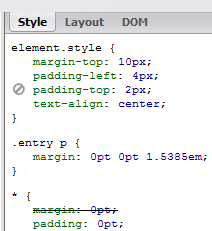
 Firebug is my tool of choice to fiddle with CSS. I’ll edit the elements on the page, and then copy my changes back to the .css file. Then save.
If you’re in a webapp, refreshing the page could take a while, so here’s a great way to reload the freshest copies of the stylesheets. Drag this bookmarklet link to your toolbar:
>>> Refresh CSS <<<
Clicking it will modify any <link rel="stylesheet"> tags and append a timestamp at the end of each href attribute, thereby dropping the cache and grabbing a new one. It’s quick and beautiful.