Home > front-end development > Tiered, Adaptive Front-end Experiences

Tiered, Adaptive Front-end Experiences

September 1st, 2011

… or … On "the site must look the same across all browsers"

I think we're all pretty well convinced that our sites can look different across browsers. Sometimes, though, our team or our clients don't totally understand that.

Lemme take a stab at convincing them that each browser gets an experience that is customized to that browsers's capabilities.

Paul Boag actually created a small booklet for your clients on why this is good. Take a look below and download the PDF to share.

Paul lays out these arguments for things looking and acting differently:

  • More time for what matters
  • Develop for your growth audience
  • Improve site performance by letting the experience scale
  • Better search engine rankings through faster sites
  • Your work will be more future proof
  • … and more maintainable
  • Wider and more impressive design possibilities
  • Users don't open your site in two browsers

(Andy Clarke's book Hardboiled Web Design also covers this ground well)

The TAFEE approach

Taking a TAFEE approach is critical if you expect to deliver worthwhile experiences to your clients while continuing to support the legacy browsers that tend to linger around. Lemme give this guy a definition:

TAFEE (pronounced: taffy): tiered, adaptive front-end experiences. Customizing the experience to the unique capabilities of each browser, prioritizing a fast and good UX over consistency.

It's also worth bringing up a term I mentioned a bit ago:

oldIE (pronounced: oldie): Internet Explorer 6, 7 & 8. aka, the three browsers often getting the low-res experience.

Your alternative to a TAFEE approach, of course, is taking a 'same' approach, wherein things are visually and functionally consistent across all your target browsers. In my experience, this takes much more time to develop and QA—not to mention you've set the baseline experience very low.

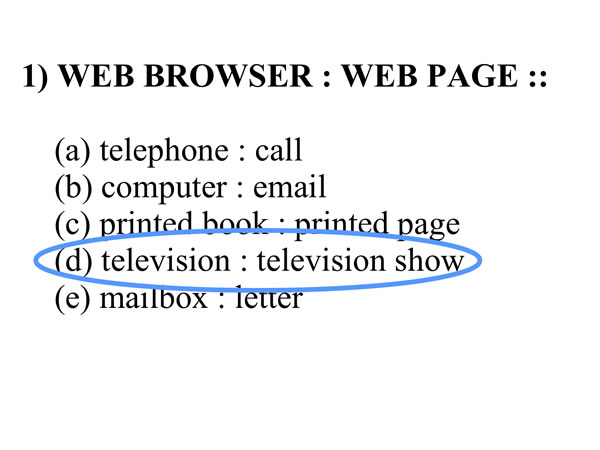
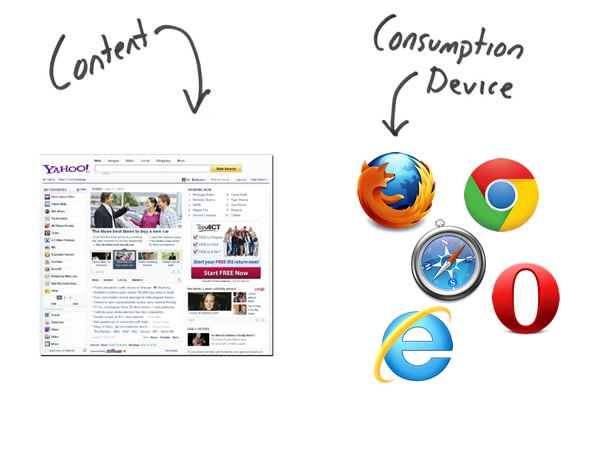
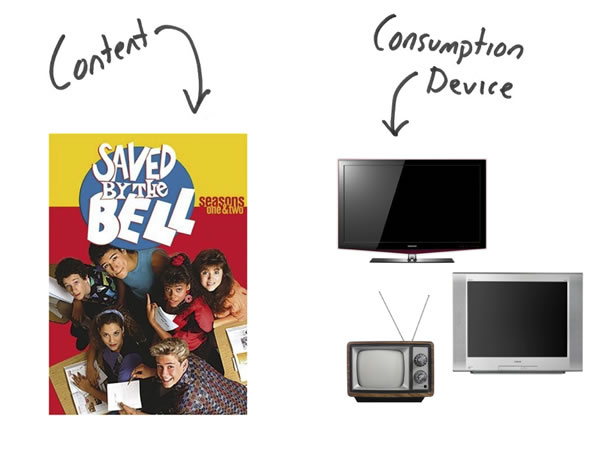
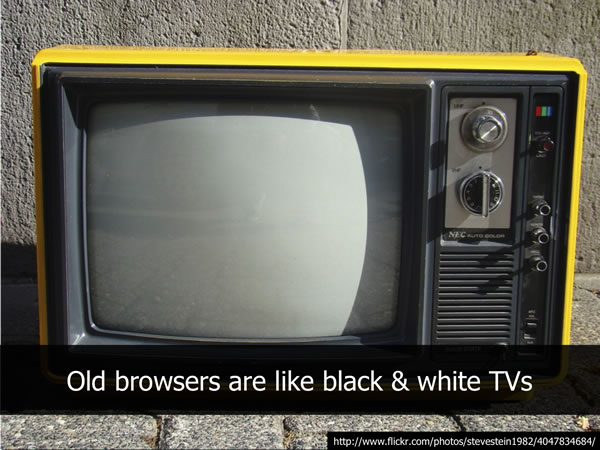
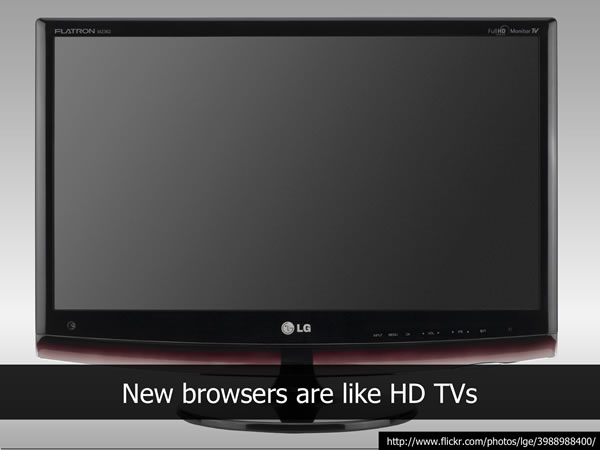
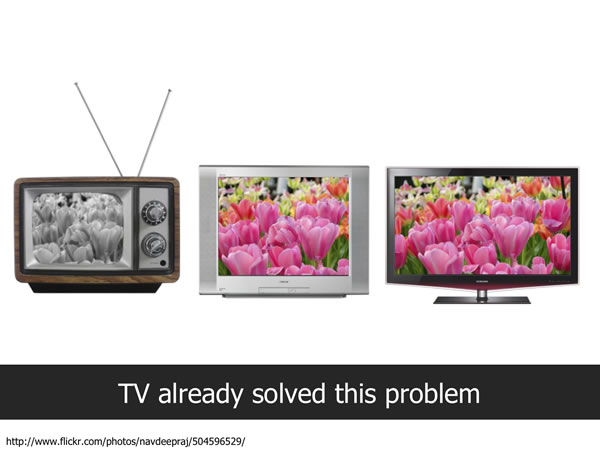
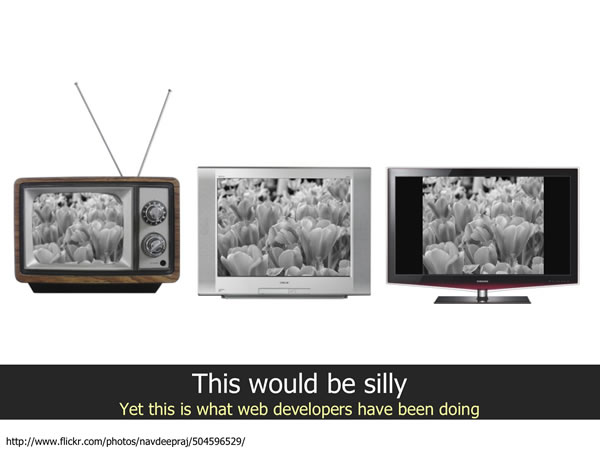
One of the best metaphors for scaling the frontend experience comes from Nicholas Zakas I'll let his slides do the talking:

Zakas's TAFEE vs 'same' TV analogy

speedy site > consistent site

Now, it's worth pointing out that javascript runs at incredibly different speeds in the various iterations of Internet Explorer…

sunspider performance results for IE. via research done by Schalk Neethling

Given that, it's up to you to guarantee a performant and responsive experience for ALL your users. That means making it easier for oldIE to chug on your pages, serving them a lighter weight experience, in order to keep it quick.

Why should you keep your site as fast as it can be? Read up on The Performance Business Pitch by Stoyan Stefanov who lays it out best. Suffice it to say that highly performant experiences are KEY to your site

None of your users open your site in multiple browsers, so if you're actively trying to make things look the same for that false goal, then you're slowing down the page for your users on older browsers. You're loading them up with images that mimic border-radius and box-shadow, piling on scripts to maintain visual consistency when you should be focusing on making something that looks good enough and is fast. Louis Lazaris touched in this in The browser performance pickle where he identified that our goal of speed conflicts with our ability to polyfill nearly all features. (There are best practices for this, specifically… stay tuned as Divya Manian and I have something coming for this… ;)

delivering multiple versions

Consider what Google has done with the Google doodles: show off cool <canvas> or bouncing balls with just HTML+JS in "good" browsers and just keeping it the same old Google logo for slow browsers. You heard anybody complaining that they don't get the bouncy balls in IE6?

Facebook, Google, Yahoo all embrace a TAFEE approach to show different browsers different things. It'd likely be wise for you to, as well.

It might make sense for you to segment your experiences into HD (high-def), SD (standard-def) and LR (low-res) tiers. Then you might move to clarify exactly which features are required for each to identify which features are required for your HD tier and so on. IE7 and IE8 may get the LR tier, and if you've punted supporting IE6 completely, I'd recommend prompting to install Chrome Frame. It's what we're now doing in HTML5 Boilerplate 2.0, in fact.

You have some choices to make in how you scale the front-end experience, and I hope you'll have a better idea of how you'll do it and how to communicate this plan to your team and client.


Thank you to Divya Manian, who helped me tremendously with crafting this. Also she just got a sweet interview on Mozilla Hacks.

front-end development

  1. September 1st, 2011 at 12:22 #1

    And thx to Alex Sexton who proposed "TAFEE". I do enjoy all the taffy-pulling like similarities. Also delicious.

  2. September 1st, 2011 at 12:35 #2

    ”You should be focusing on making something that looks good enough and is fast.“

    If only it were easier to stop at good enough…

  3. September 1st, 2011 at 12:36 #3

    Andrew Wyrick (@amwirick) and I were discussing this the other day. He pointed out that Yahoo does not embrace this approach yet.

    In fact, you can go to yahoo.com to see image-based rounded corners in both Chrome and Internet Explorer 7 (and I would assume 8).

  4. September 1st, 2011 at 12:43 #4

    Excellent text Paul. Can't wait to read that pdf and to show it to some people… ;)

  5. September 1st, 2011 at 12:47 #5

    Awesome article – great references – even better images to describe the comparisons to TV. I think that might be a good way to show it to a client.

  6. September 1st, 2011 at 13:15 #6

    This serves up a good point. Sometimes, with the wonderful new concepts and methods of markup and design, we're tempted to make elaborate designs display the same across all browsers, even when our site's performance is impacted.

    It's negligent to allow performance to take one for the team when we could easily serve up the same content to old browsers more simply, without jumping through aesthetic hoops.

  7. September 1st, 2011 at 13:33 #7

    Hey Paul,

    It's about time more people start talking about this. I believe for the most part developers get's it but, we need to also educate clients and clearly demonstrate that this pixel/behavior perfection across all browsers ancient and new is expensive, unproductive, hinders innovation and will most likely cause a worse user experience then graded support.

    I watched the video with Divya and she mentioned the project you guys are working on, I am guessing it is going to be something along the lines of what the jQuery Mobile folks did in terms of graded browser support.

    Looking forward to that, and as usual ;) if I can help out and get involved, that would be most awesome.

    Schalk

  8. September 1st, 2011 at 13:41 #8

    I'm going to print off that pamphlet and put it in every one of my professors' mailboxes.

  9. September 1st, 2011 at 13:47 #9

    @Schalk Neethling
    Ha! The working title is actually Graded Feature Support. How right you are. :) You could probably find it in its current form if you poked around.

  10. September 1st, 2011 at 14:01 #10

    That TV analogy will actually come in handy for explaining to clients why their website looks different in older versions of IE.

  11. September 1st, 2011 at 14:19 #11

    This article states perfectly what I think on "the site must look the same across all browsers". In my opinion the problem with the taffy-approche is the reaction of most customers.
    Hopefully the brochure by Paul Boag will help us web developers to convince people of doing future-proof websites /wo complaining about detail-stuff in oldIE.
    Thanks for the links and thoughts!

  12. September 1st, 2011 at 18:03 #12

    Communicating and convincing the higher-ups is the real problem here I think, so props to Paul Boag on creating an easily-digestible pamphlet. I've been at places where people still talk about "execs using WAP", where in reality WAP and its WML protocol have been long dead. These folks are running the show, but their terminology and concepts may be a bit outdated, so it's less of a technical problem and more of an educational/people problem, which is something most engineers aren't particularly good at dealing with.

  13. September 1st, 2011 at 20:39 #13

    Great article, Paul. I've actually begun incorporating this into my client contracts recently, stating right up front that the finished product will vary between browsers based on the capability level of that browser. So far I've had great response in that no clients have even questioned it and have understood the idea of a tiered, adaptive design.

  14. September 1st, 2011 at 22:55 #14

    Analogies never really work and in this case there's a glaring problem with the TV analogy. Because no matter what you do and how hard you try, there's no way to get color on a b&w TV screen. People know this and will accept this.

    Your IE6 client surfes the web using IE6. Those sites who do go the length to provide an optimal illustrate what is still possible on IE6 (which is the why "one person never opens a site in two browsers" argument doesn't really make sense either). If your client asks you why the site you're showing him isn't displaying rounded corners, you can't tell him it's not possible in IE6, because you'd be lying. In that case you have to tell him "it's not worth the trouble". Nine times out of ten, you come off as lazy.

    As for the middle TV screen, I think by then most TVs had the option to switch aspect ratio's, so the user could ultimately decide if he wanted cut sides or black boxes on top and below.

    It's not that I think everything should look and function the same in all browsers, but the problem is definitely a lot more complex than assumed here, and front-end devs should be aware of that, rather than looking the other way.

  15. JulienW
    September 1st, 2011 at 22:59 #15

    Actually in France, old TVs can't be used anymore since Digital terrestrial television was deployed. :-)

  16. September 2nd, 2011 at 00:11 #16

    @JulienW
    If France is anything like the UK, there's the possibility of using a set-top box to get digital on an old analogue TV – much like using Chrome Frame in oldIE ;)

  17. September 2nd, 2011 at 01:33 #17

    Just wondering what you think is the best technical solution to serving UserAgent-specific pages?

    Given that a "Vary: User-Agent" header can have a dramatic impact on caching efficiency I would be wary of using this. Perhaps browser sniffing followed by redirect to a subdomain?

  18. September 2nd, 2011 at 02:47 #18

    Brilliant article Paul!

    I've sent this round my office. I've been 'secretly' doing this on any build jobs I've been tasked with and I'm hoping we're going to shift our thought process so that we do educate the client rather than simply promise unicorns every time we do something.

  19. September 2nd, 2011 at 06:56 #19

    Great article, but looks like you are missing one more option, and it is the one our clients insist on – you would probably phrase it better then I would but the concept is – give modern browsers what they like, and give oldIEs the very same, pixel perfect experience, for the price of expensive (performance-wise) tools such as css3pie and others. on the other hand, they won't even consider using chrome frame as it requires an extra installation.

  20. Matthew
    September 2nd, 2011 at 08:41 #20

    Here's the problem we have: we've shown them a design. And now, their delivered website doesn't look like the design, and the client is sad. How do you get around that?

  21. Alex
    September 2nd, 2011 at 10:20 #21

    Devil's advocate:

    – If you have a good technology stack, adding such features as "round corners" has basically a small one-time cost (per browser), and only affects performance on browsers that need it. If your technology is still "hand-code all HTML/CSS", you're going to fall behind those of us with higher-level abstractions, anyway. Browsers are all moving forward but they're not becoming identical, so what happens when the next hot feature hits browser X before browser Y? Are you really going to stick with "hand-coded HTML" forever, and still claim that simply (partially) dropping support for some browsers is the answer to all your maintenance troubles, now and forever?

    We've gone down this road before, of course, many times. Remember GEOS? It was going to beat the pants off of Windows because, being written in assembly, it would be a gazillion times faster. They were right on one count: it was a gazillion times faster. You've probably never used it because the Microsoft guys were busy writing C functions that let them add *user-visible features* about a gazillion times faster than the GEOS guys, who were swimming in millions of lines of hand-coded assembly language. And eventually compilers got really good, so the speed difference went away, too.

    – You "know the direction that browser support is heading"? Really? Has anyone ever been accurate at predicting where technology is heading, even in a limited arena, even a couple years out? (If you asked an x86 programmer in 1998 where the x86 architecture was heading, would he have any guess that the answer would be "AMD's extensions"?) If you're so confident, you should write a book about web browsers in 2015 because I'd love to read it.

    – It's not clear how Google measures or uses site speed, but they do say it affects less than 1% of queries (while it's 1/4 of his PDF!). Make the extra code conditional on the browser that needs it, and you'll only be slowing down the already-slow browsers — even if they actually load your site in IE6, they're not going to punish you because IE6 is slow. But it sounds like they're just looking at response times, not rendering all pages in IE6.

    – Yes, browsers like IE7/8 are being replaced by more capable browsers like IE9, but then, by the same token, engines like Trident are being replaced by more capable engines like Gecko and Webkit. If you're going to drop support for popular browsers because they're losing popularity, why not really skate to where the puck is going?

    – Your IE6/7 users won't know what they're missing, sure, but if it's a consumer site they'll be implicitly comparing it to other sites. Your site is being compared against every other website, especially those with similar functionality. If everybody else is making their sites look good in all browsers, and you aren't, your IE6/7 users won't know (or care, probably) that your site looks good in Chrome18, or that you need 2 fewer servers because you hand-coded all your HTML (ha), but they will know that they like the other guy's site better.

  22. September 2nd, 2011 at 11:14 #22

    Thank you for explaining so simply what seems difficult for many people to understand. Many of the eCommerce customers I work for will place a semi-transparent overlay of the wireframe in the browsers they check. Making things pixel perfect is frustrating and so very time consuming.

  23. Ole Oleson
    September 2nd, 2011 at 13:14 #23

    Good concept, but the tv analogy is fundamentally wrong for a variety of reasons.

    TV content is optimized for one format. It doesn't change based on the type of tv you use. Your TV (browser) does all of the changing to make it work on it. For instance, Saved by the Bell was shot in standard def (4×3 at 480i). On the black and white tv, it would fill up the screen and be displayed in B&W. The tv did the conversion, not the tv show. On the middle tv it would fill up the screen and be in color. This was the tv format that the show is optimized for. On the HDTV, the tv would be responsible for either stretching it to fill up the entire screen and distorting the image, or adding black bars on the sides to keep the aspect ratio true to the original video format. It would also be scaling the image from 480i to 720p or 1080p which is also altering the original content.

    If we used this analogy it would mean we could design one site, no tweaks or hacks or browser specific items and be done with it. It would then be each individual browsers responsibility to make it display correctly, not the other way around.

  24. September 2nd, 2011 at 19:38 #24

    Seriously good, thanks.

  25. September 5th, 2011 at 15:20 #25

    @Ole Oleson — now i could be wrong here, but I think that's exactly what he's suggesting should happen. Request a text shadow, if browser can do the work, then browser does the work.

    There will be browser-specific stuff that we actively try to support (like IE pinning features– things that won't show up in other platforms or browsers), like enhanced captioning on TV, but it's still the same thing.

    I think you're just not accepting the reality of what TAFEE means exactly what you're describing.

  26. September 7th, 2011 at 08:40 #26

    Great stuff Paul. *love* the Zakas TV analogy.

  27. September 12th, 2011 at 01:59 #27

    Thanks for a great article. I have been thinking about a fast simple way of feature detecting performance to achieve what you describe in the final paragraph:

    "It might make sense for you to segment your experiences into HD (high-def), SD (standard-def) and LR (low-res) tiers"

    Have you got any thoughts on good ways to achieve this.

  28. September 12th, 2011 at 11:41 #28

    @Dave Taylor
    I had a google plus post about this.. i said

    Between different combos of hardware, GPU acceleration, browsers, form factors and javascript engines… you're soon going to be deciding how to scale the fidelity of your work.

    Rich canvas, WebGL, and 3d transform stuff will need to dynamically adapt (fewer layers, fewer particles, etc) when performance goals aren't reached.

    For example, +Ilmari Heikkinen's Runfield demo (https://mozillademos.org/demos/runfield/demo.html) starts at a basic version, watches the actual FPS and adds up to 5 more levels of complexity, assuming the FPS stays within reasonable thresholds. I wonder if that sort of thing could be generalized…

  29. Jamie Stewart
    September 14th, 2011 at 08:07 #29

    It's good to know there are others out there like me :)

    I've been trying for years to convince colleagues and clients that most users only have one browser that they use and as long as the content looks good and can be accessed easily they'll be happy.

    I fail to believe that any end user thinks to themselves "I wonder how this acts in other browsers?" unless they are having a bad experience.

    Still fighting that fight though :(

  30. September 23rd, 2011 at 06:50 #30

    Woah. Spot on.

    The "TAFEE" approach matches up exactly to my current beliefs (and something I'm working on!). I think "tiers" are the right step forward. Drawing a line in the sand helps us sanely "group" the plethora of browsers and features (or lack there of). It also helps manage client expectations. Smashing weaker browsers with *excessive* pollyfils just isn't the "right" answer.

    I love the "HD, SD, LR" groupings to explain things to client – these are terms they can relate to. I feel "advanced, basic, textonly" or "enhanced, basic, mobile" might be closer to a developers definition of these tiers.

    I'm inspired. @Alex Sexton the acronym & relation to taffy is SO suitable in the web's fluid/flexible future. Bravo guys.

  31. Rob
    September 23rd, 2011 at 08:26 #31

    @Niels Matthijs

    Fallacies like "analogies never work" are not very effective arguments. It's true that no analogy holds up perfectly: if it did, it would cease to be any and become an equivalency.

    However, even a very flawed analogy can be useful for conveying idea. No one is suggesting that this particular analogy should be taken literally, but is still useful for explaining the limitations of a non-adaptive development/design process.

  32. September 23rd, 2011 at 09:12 #32

    Do you think it is a bit keen to be dumping IE8 in with the old browsers? IMO IE8 is going to be the new IE6, in the same way that IE6 became the new Netscape 4 for any of us that can remember that far back. Yes it is creaky and feature-poor, but as well as being currently the most popular browser, getting hold of its successor IE9 requires an upgrade to Windows 7 so I suspect it will be with us for some time to come.

  33. September 25th, 2011 at 16:08 #33

    @dawn, yes IE8 will be with us for a long time to come… and indeed so will many other aging browser versions. The browser market is innovating at such a rapid pace. So as suggest here there comes a point when trying to present a "same" experience cross browser becomes not only "too much extra work" but it also negatively impacts the end user if you try stuffing piles of pollyfills on top to bridge the gap (crippling less capable browsers!)

  34. Andrew Hahn
    September 27th, 2011 at 09:49 #34

    @Mike Voermans
    I agree and will be using this to support current projects!

  35. October 10th, 2011 at 10:25 #35

    For the german-guys: we translated Paul Boag's booklet to german. It's available here. Share it if you like :)

  36. A client
    October 10th, 2011 at 20:08 #36

    @Matthew

    "Here's the problem we have: we've shown them a design. And now, their delivered website doesn't look like the design, and the client is sad. How do you get around that?"

    Ummm… you deliver what you sold to them.

  37. A client
    October 10th, 2011 at 20:10 #37

    @Tyler Stubenhofer

    "good enough" is never good enough. Only losers and slackers talk about "good enough." It's either a product that meets the client's requirements and that the developer can be proud to put in his portfolio, or it isn't. "Good enough" is what developers say to feel better about themselves.

  38. A client
    October 10th, 2011 at 20:14 #38

    @Niels Matthijs
    I couldn't agree more. I'm sorry, but I think this article is a little simple-minded, and, moreso the peanut gallery.

  39. October 10th, 2011 at 23:02 #39

    @A client
    Cool argument bro.

  40. A client
    October 11th, 2011 at 16:29 #40

    @Paul Irish
    Thank you. However, I'm a sis, not a bro. :)

  41. October 11th, 2011 at 16:31 #41

    @A client

    :) So whats your ideal world? Everything looks the same in all browsers, regardless of load time?
    I imagine we can agree it's a balancing act and you're willing to allow some visual differences.

  42. October 31st, 2011 at 12:29 #42

    If I bought you a beer for every good post & contribution, you'd be dead real quick… Morbid analogy aside, thanks a lot for this, Paul. This budding web dev still has hope for the future yet. :D

  43. Gao Jie
    November 9th, 2011 at 01:44 #43

    We have so many versions of Mozilla Firefox today….

  44. February 16th, 2012 at 13:20 #44

    @Gao Jie
    Check out your analytics. If its not IE, very very few people are using an older version of Firefox or Chrome.

    The point about javascript performance is essential. So, you have a choice. Give older versions of IE an supported experience or load extra scripts that make IE slower.

  45. March 9th, 2012 at 07:30 #45

    Thank you!!!! This is my new "go to" when I need to explain this to clients.

  46. March 21st, 2012 at 16:33 #46

    I think for all the comments for and against the article is a great tool for designers who may have trouble expressing the pro's of developing for new browsers and not such much old browsers. We want to keep our customers happy but at some point the focus needs to be on the future and not the past. We do know where browsers are going forward not backward how that may be executed we may not know, but we do know that developing for the past means that we'll have to redevelop a lot sooner than if we stayed true to the current technology. If we are TRULY doing our clients a service it is our goal to reach a balance between budget and function. Creating a site that will be out of date doesn't add value to "What the customer purchased" the key is to discuss this with our clients from the beginning. Explain the tradeoffs and benefits and let them make the decision. I guarantee if you show a client that a majority of users will have the great experience and that by designing for today will save them in the future…. the client is going to agree with value over aesthetics… Besides good design stands on it's own regardless of roundcorners.

For code blocks, use <pre lang="javascript">. css and html4strict are also accepted.